Ryan Winges
Mission
To make organizations doing important work run like well-oiled machines.
...what does that mean, exactly?
It means that whatever my official function is, I will learn your systems and processes thoroughly, build positive working relationships with all the people, and do whatever it takes to get work done well and to implement changes that set everyone up for success.
Want to dig deeper? I’m all about the details.
Here's what that starts to look like in practice.
Standard Operations
-
I take ownership of my work down to the last detail. When entrusted with a critical function, I bring the discipline, consistency, and attention required to ensure it operates reliably and as intended.
Some work is relatively stable and predictable but needs a competent, reliable person to make sure it always gets done seamlessly.
High-complexity and/or high-variability work is difficult to fully automate and requires a competent human involved in the execution.
Even fully automated work – including AI agents – calls for a competent and highly reliable person to make sure the automation is running, notice when it goes off the rails, and fix it immediately when it does.
Many accomplished professionals are hired for their specialized expertise, not for operational stewardship. Those are different skill sets. When a function is mission-critical, organizations need someone who treats reliability, follow-through, and attention to detail as core responsibilities rather than secondary priorities.
-
Chaos to order is perhaps my most fundamental drive as a human and it's my baseline mode of operating as a professional.
Some operational work is predictable in the sense that you know it's coming, but you don't know exactly what it will be or what it will require until it arrives.
The cadence is predictable. The work itself often isn't.
There will always be another defect, another request, another edge case, another process that needs attention, another question that needs an answer. The backlog never truly reaches zero.
You need someone who can take incomplete information, figure out what matters, and turn ambiguity into concrete outputs without requiring constant direction.
-
I have a very long attention span and I don’t bore easily. Leave the painful and tedious details to me.
Projects & Initiatives
-
I can put my perfectionism on the shelf and deliver viable solutions in a matter of hours, not weeks.
Sometimes you need a quick and dirty analysis to answer a one-off question.
Sometimes acute problems arise and you need to spin up a clean and reliable process for coordinating task execution and tracking progress on an accelerated timeline.
-
Being intensely organized by nature helps me balance multiple simultaneous workstreams running on different timelines.
This could be 2-12 month client-facing (internal or external) projects or it could be medium-effort internal optimizations.
-
I can hold the big picture and the minute details in my head at the same time. I plug into major initiatives where I am most needed and help turn ambitious plans into successful execution.
Whether it's implementing a new enterprise system, decommissioning an old one, reorganizing a team, changing an operating model, or scaling operations up or down, transformational work requires someone who can see both the strategic objective and the operational realities.
Everything Else
The Highly Competent Generalist
Results matter - job titles, not so much.
If it’s needed and I can do it or learn it, I’m in.
Projects
A few hand-picked examples of my work:
Project:
Business Intelligence & Automation
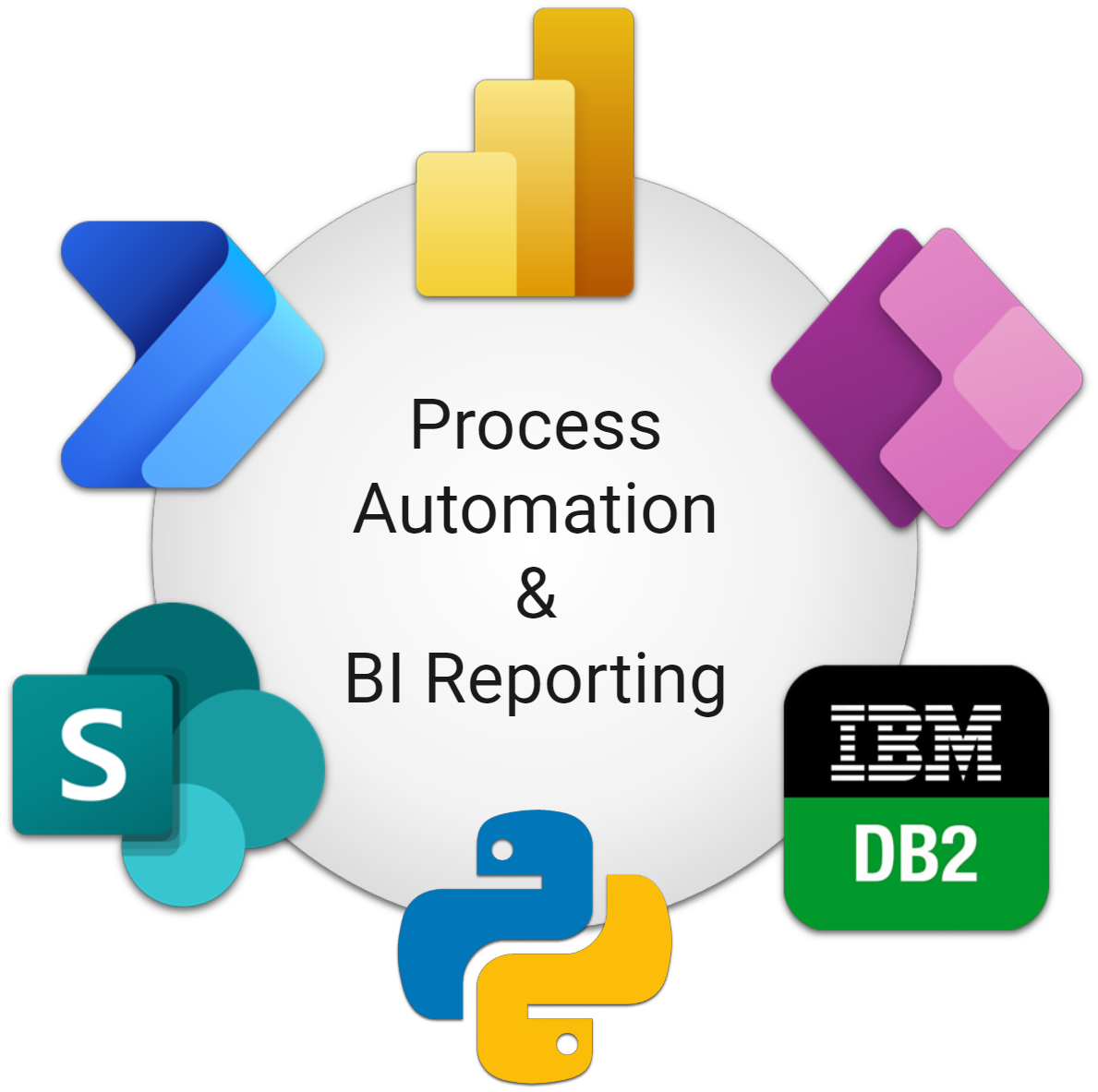
Opportunities for optimization are everywhere you look.
This is a prototype data collection and reporting solution for an actual business case. It represents the sort of business workflow you see all the time - where a non-technical team implemented a solution to a business need with the tools they had. Though functional, a little help implementing a more robust solution could yield meaningful gains in accuracy, efficiency, and security.
The project’s README file (human-written) gives a detailed overview. Full documentation and walkthrough videos are also available.
Executive Summary
Documentation
Solution Walkthroughs
Guided tours of the business case and the tech solution
Report Previews
Quick snapshots of the report aesthetics
Project:
Enterprise System Implementation & Enablement
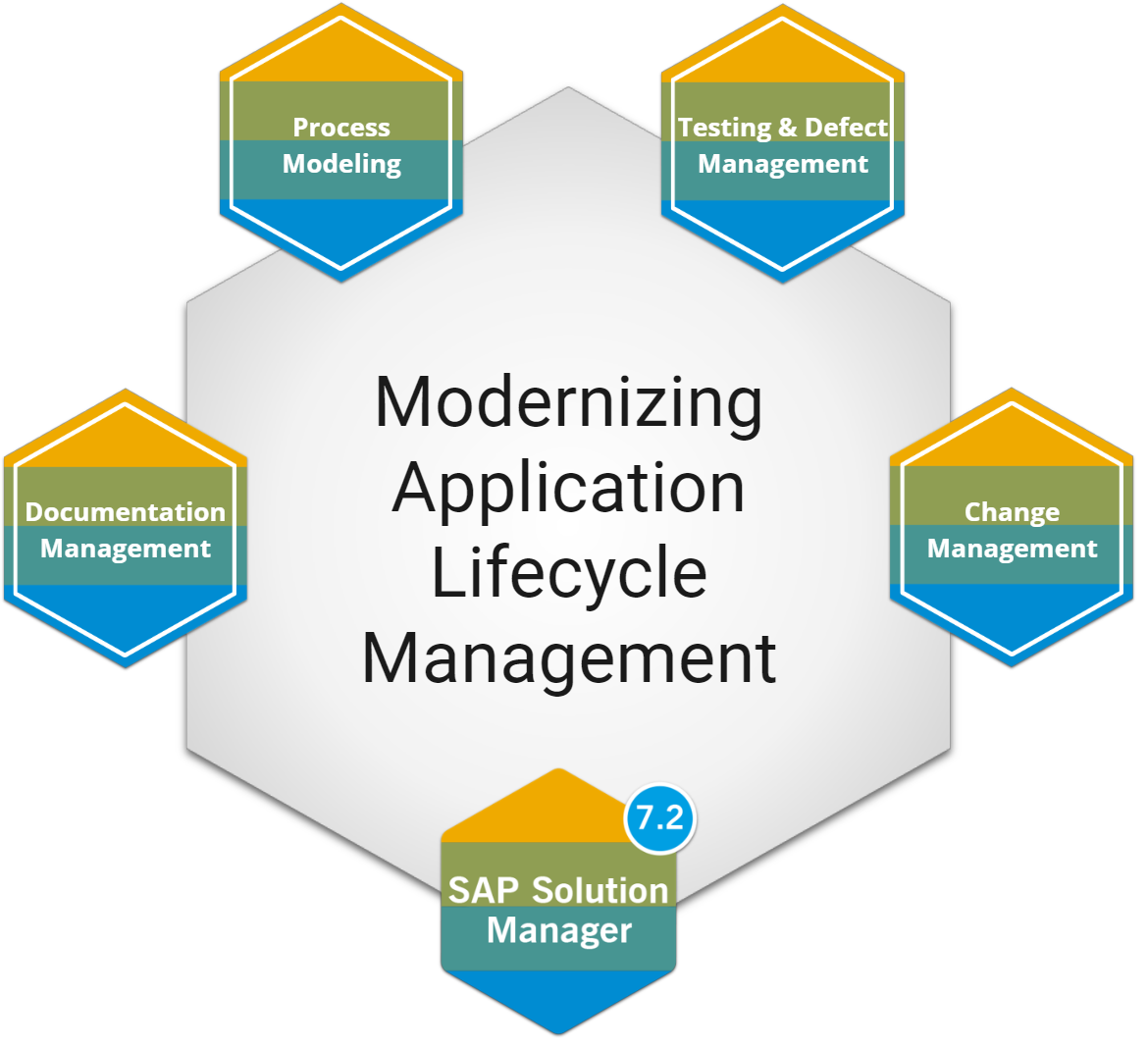
As part of a 5-year project to redeploy an ERP system for a large federal agency, I led the project’s ALM workstream to successfully implement 3 integrated enterprise systems:
Executive Summary
-
A new change management system to manage the flow of code and configuration changes (1,000+) through the development pipeline.
-
A complete reconfiguration of a process modeling and documentation management system to define a comprehensive model of every single ERP business process (500+) and its related documentation.
-
A new testing and defect management system and related business processes to perform full-scale ERP integration testing - hundreds of end-users from every functional area across 10 different federal entities testing every single business process simultaneously.
Narrative Story (STAR method)
If I could only tell one story from my professional experience, it would be this one.
-
A cabinet-level federal department with ~70,000 employees, ~$17B annual budget, and 10 semi-autonomous agencies needed to fully redeploy its enterprise ERP system to stay current with vendor-supported technology. My office of ~200 people owned the redeployment.
Running a project of this scale requires reliable infrastructure for managing the work itself. Three systems were critical: one for change management, one for process modeling and documentation, and one for testing and defect management. None of the three were ready.
The change management system was brand new and unfamiliar to everyone. The testing system didn't exist yet - the existing process ran on spreadsheets. And the process modeling system, though already in place for a decade, turned out to be fundamentally misconfigured and its content unusable - something nobody had recognized until I dug into the details.
We were building this part of the plane mid-flight.
-
Three systems needed to go from broken or nonexistent to fully operational - in sequence, on a fixed timeline, and without disrupting an already-running project.
Stabilize the change management system before the project's development phase began.
Rebuild the process model from scratch, coordinating ~30 process owners over ~3 months to produce a comprehensive, accurate model of every business process in the ERP system.
Configure the test management system to support testing by 11 different user groups and train the project team to build tests, run tests, and support end user testing.
-
I started by becoming a deep subject matter expert on all three systems - every screen, every integration, every dependency. From there I built an implementation roadmap, presented four options to leadership, and drove the decision.
For the change management system, I redesigned the rollout from scratch: a two-phase approach that first reframed the new tool in terms of one already familiar to the team, then established clear standards while giving teams latitude where it made sense.
For process modeling, I stood up a 12-person pilot group of SMEs - one per impacted team - and ran 8 intensive workshops over a month. I used pre-session surveys to track engagement, enforced cameras-on, assigned graded homework, and held formal group votes on key decisions so SMEs understood their input was consequential. I then developed full training materials and ran a daily open "study hall" for two months so anyone could get same-day support.
For test management, I repeated the model - full training kits including a SharePoint-based interactive checklist with short video walkthroughs for every step, daily study hall, and coordinated a technical system upgrade with full regression testing in parallel. I also designed the internal procedures my team would use to translate the project team's work into the actual test plans testers would execute.
-
All three systems went live on time and worked as designed.
The change management system went from widely resented to, in the words of a few of its loudest early critics, something they "actually kind of liked."
The process modeling effort produced the department's first comprehensive, integrated model of all ERP business processes. This enabled not just the testing phase, but downstream capabilities like change impact analysis and a full reorganization of a decade's worth of functional and technical documentation that the team had long complained was impossible to navigate.
The test management system launched with no defects and successfully supported two full test cycles: one for the project team, and one for a cohort of several hundred end users across all ten agencies testing every business process simultaneously with defect tracking fully integrated throughout.
Project Enablement Materials
A selection of tools I’ve developed to ensure successful adoption of systems and processes
This is a recording of a training session (on business process modeling) I delivered to a diverse, project-wide audience (~90 participants):
Live Training
-
This was the main target audience.
Relatively tech-savvy individuals who needed to understand the material thoroughly to execute the project phase that this training kicked off. These BA’s covered all ERP functional areas.
-
Representatives from business and technical teams who had previously gone through intensive training (by me) on the topics presented.
-
Managers of individuals doing the work who needed to understand the content well enough to judge workload volume and make resource allocation decisions.
-
Technical audience who mostly didn't need to operationalize the content presented but who should have a general awareness.
-
Needed to take away a high-level understanding of the content to understand the eventual reporting. They also needed to track the exact timelines conveyed to the project team.
When publishing recordings of live events, I always use whatever tools are available for making the relatively long recordings more easily navigable e.g. chapters, and links in the description to related resources.
Studio-Recorded Tutorial
This is an example of the “micro course” concept I developed.
-
With certain topics, people can mostly get by with a surface-level understanding but if something goes wrong, they need to dig deeper to get back on track.
The micro course is a Just-In-Time resource to ramp up your understanding of a topic on-demand in a matter of minutes so you can solve a problem quickly without digging through lengthy, comprehensive reference materials.
-
The subject of this real example was targeted at a specific audience but you don’t need to understand the technical details to observe the general idea in action:
Armed with this recording alone, a team member can independently resolve an issue that is commonly-occurring but for which the fix isn’t intuitive unless you understand some underlying concepts.
-
This type of resource was critical for enabling a support ratio of 1:40 for one (of 3) applications I deployed - i.e. one expert (me) supporting around 40 team members actively learning, making mistakes, and completing a huge chunk of work by a hard deadline.

Visualization through Whiteboard
My toolkit for visualization work that isn’t strictly “data visualization”:
80% - Miro whiteboards (highly recommended)
18% - Natively within an application
2% - Visio if I need extreme precision control or scripting ability
When I’ve got many related visualizations, rather than managing many separate whiteboards, I use the galaxy approach – a single well-organized board for all visualizations.
The board is organized into quadrants – corresponding to major project components
Visualizations are captured in frames which have their own URLs - I can link people directly to any specific visualization in the galaxy
Visualization through Slide Deck

Good old slide decks! We’ve all experienced the dreaded death by Power Point. Like any tool, there are many ways to do it badly and a few ways to do it well.
Here are some of my personal rules for clear and engaging slide decks:
-
Make pictures that are worth 1,000 words so you don’t have to have 1,000 words in your deck.
-
Clown makeup is fun but distracting.
Character makeup for cinema enriches the story without the viewer ever noticing the makeup explicitly.
Use color intentionally, sparingly, and consistently
Transitions and animations should be both minimalist and minimal
Use (subtle) drop shadows to make images pop
-
Use your organization’s templates and follow their design guidelines.
Establish your own design standards. Be consistent with fonts, colors, shapes, etc.
-
Get your window situated first
Resize the window - think of where the screenshot will live
Hover over the thing you’re focused on - do a delayed capture if you need to capture hover text
Find the balance between:
excluding distracting extraneous detail
capturing details that provide instant context
Superpowers
My descriptions of what I’m particularly good at.
You can also download my full resume.
Hard Power
-
As important as anything I can currently do are the things that I can’t yet do. I’m able and eager to learn almost anything.
-
From data manipulation to workflow analysis, hand me messiness and ambiguity and I will get to ground truth. I have found the source of a $1.27 error on a multi-billion dollar balance sheet, I've reverse-engineered entire system workflows, and I've translated scarcely coherent user stories into solid technical requirements.
-
Whether it's designing an airtight process with every scenario accounted for or designing intuitive user interfaces, you can have high expectations for the products that I design. I don’t take functional or aesthetic shortcuts and I design everything to be as bulletproof and future-proof as practicable.
-
I don't just analyze and design, I build and implement. I've built databases with a UX layer, configured ERP systems (SAP), and written code in Java, C++, VBA, Python, SQL, and HTML. I'm not a software developer by trade but I've studied computer science formally, leveraged that knowledge professionally, and I'm not afraid to roll up my sleeves and dig into technical challenges.
I consider most of the Microsoft 365 business applications to be table stakes, but I am your go-to for advanced Excel functionality, I’m Power BI certified (PL-300), and I’m a competent Power Platform developer.
-
Documenting knowledge is sharing knowledge. Visualizing information and concepts is accelerating understanding.
I have a strong bias toward documenting and I consider myself a master at creating clear documentation in the optimal medium. Depending on the content, context, and audience, I'm equally comfortable reaching for a whiteboarding tool, spreadsheet, slide deck, Word doc, markdown file, Jupyter notebook, Visio diagram, Camtasia video, or any combination.
-
I am naturally curious and pattern-seeking. I am also very intentional and methodical in almost everything I do. This makes me exceptional at devising and executing tests that surface issues reliably missed by others, and that lead back to the sources of those issues.
-
If your technical execution is perfect but your enablement efforts (training, mentorship, support) fail, your initiative fails. I have deeply internalized this truth through the experience of many poor enablement efforts and a few good ones throughout my career.
I combine this deep insight with my visualization and documentation mastery and all my soft skills to ensure that the people receive as much (or more) attention as the systems.
-
I am firmly in the camp that views the current abilities of LLMs not as replacements for but as accelerants of human expertise and judgement. This is not based in sentimentality for human contributions but in actual experience with the technology.
The risks and consequences of relinquishing design and oversight by human experts are well documented and I’ve experienced them first-hand. I am a seasoned professional with the fundamental knowledge, experience, and judgement to deploy AI resources effectively and mitigate the associated risks.
My role as a Business Systems Analyst was precisely the role of understanding both the business and the tech and ensuring that the tech was developed safely and effectively to meet the business needs even though I was frequently not the one executing the development.
It is no different with AI – just as with human developers, requirements for AI agents must be clearly defined and solutions must be thoroughly understood, tested, and validated.
Soft Power
-
I approach listening as an active skill and an intentional act. I try to mentally simulate the experience of others which helps me understand and anticipate needs even when they’re not expressed clearly or explicitly. It also helps me communicate effectively to diverse audiences avoiding the “curse of knowledge.”
-
I show up prepared, I’m honest about what’s possible, and I put in the work necessary to get things done well and do so autonomously without having to be managed.
-
I can do a lot with a little and find it endlessly satisfying leveraging existing resources that are currently underutilized.
-
I’m always keenly aware that no part of this equation can be ignored. The goal is harmonizing systems with processes then empowering people to wield them.
-
A deep well of patience is a natural byproduct of trying to imagine where people are at and where they’re coming from (i.e. empathy). It takes a lot to make me lose patience.
-
I can contemplate the high-level, long-term vision and strategy then traverse my way down to the lowest level execution of the minute details. I don’t just talk about the work, I roll up my sleeves and do the work.
-
I embrace change, I’m willing to contribute however I can, and I have a baseline mode of learning new things.
-
I’m not a gregarious politician and I don’t try to be everyone’s best friend, but if you interviewed everyone I’ve ever worked with, chances are pretty good that everyone would agree I’m easy to get along with.
I take pride in getting along and working productively with difficult personalities. Navigating interpersonal conflict is not part of the experience of working with me.
Values
The standards I hold for myself, my work, and the people and organizations I work with.
Organizations
-
I am drawn to organizations that are trying to accomplish something meaningful.
The purpose can take many forms. What matters is that it is something I can feel good about contributing to.
Whether an organization is for-profit or nonprofit matters far less to me than whether its people care about the work and the outcomes they are trying to achieve.
-
“Culture eats strategy for breakfast.”
Is the culture acting as a tailwind that helps people move forward, or a headwind that makes every task more difficult than it needs to be?
Even interesting work and talented colleagues can be undermined by toxicity in the culture. Conversely, a strong culture can elevate the work and sustain the people doing it.
-
Some organizations run on tribal knowledge, constant firefighting, and heroic individual effort. Others invest in systems, processes, and smart ways of working that make success repeatable.
I strongly prefer the latter.
No organization is perfectly organized. But unnecessary chaos creates friction, wastes energy, burns resources, and limits what a team can accomplish.
I am drawn to organizations that value clarity, structure, and continuous improvement over confusion, improvisation, and avoidable disorder.
People
-
Act with integrity. Do what you say you're going to do. Give credit where it is due. Treat people well whether or not anyone is watching.
Be honest about what you know and what you don’t. Unearned confidence is not a good look.
Be kind. It is entirely possible to be candid, uphold high standards, enforce accountability, and be kind at the same time.
Ethics matter. The question is not merely whether something is allowed. The question is also whether it is ethical and wise.
Be resilient in handling setbacks, persisting through headwinds, and receiving feedback. Own your failures as well as successes.
-
I admire people who take their craft seriously and are always getting craftier.
Competence isn’t being the ultimate authority. It’s knowing your domain well, exercising good judgment, communicating clearly, and producing work that reflects someone who cares about what they do.
-
Some people encounter a problem and immediately begin looking for someone else to solve it. Others step forward, take responsibility, and do everything in their power to move things forward.
I value people who can be trusted with important work, persist through setbacks, keep their commitments, and don't drop the ball when things become difficult or inconvenient.
No one gets everything right. What matters is taking responsibility for outcomes, owning successes and failures, and maintaining momentum.
Work
-
I approach my work with a sense of ownership by default. My work yields the best results when I am trusted to understand the broader context, develop a strategy, make decisions, and adjust course.
While collaboration is essential, I am most energized when I can take responsibility for outcomes rather than simply execute instructions.
-
I have a deep-seated need to do high-quality work.
I am aware of my perfectionist tendencies and work hard not to let the perfect become the enemy of the good. Even so, I believe quality matters and that cutting corners often creates larger costs down the road.
Not everything needs to be perfect. Some things, however, are worth doing well. And for some things, it’s critical to get every detail exactly right.
-
I need to spend at least some of my time creating things.
That might be a process, a system, a document, a strategy, a tool, a program, or a solution to a difficult problem. The specific output matters less than the act of building something useful.
A role consisting entirely of meetings, discussions, and commentary would be difficult for me. I need to turn ideas into tangible results.